Connect Your First Integration
Waypath connects to 15 platforms across 5 tiers. Each integration normalizes
incoming data into the universal MarketingEvent format before entering
the pipeline.
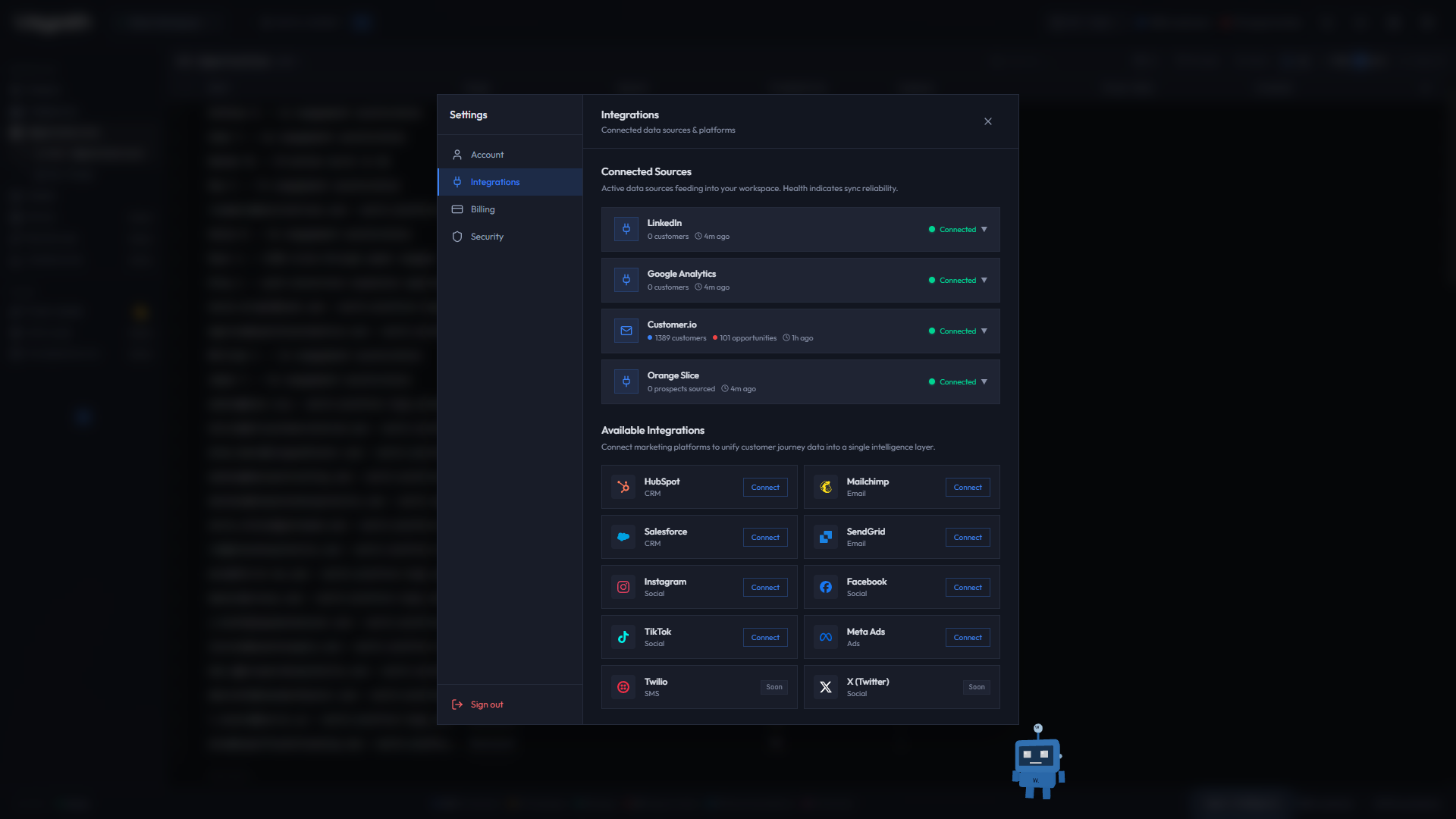
01Quick connect (API key integrations)
The fastest way to get real data flowing is with an API key integration.
Customer.io
- Open Settings (gear icon in the header)
- Go to the Integrations tab
- Find Customer.io and click Connect
- Enter your Customer.io Site ID and API Key
- Click Validate & Connect
Waypath validates the credentials, then runs a background backfill of your existing Customer.io data. Incremental polling runs every 5 minutes.
02OAuth integrations (HubSpot, Salesforce, etc.)
- Open Settings > Integrations
- Click Connect on any OAuth-based platform
- You will be redirected to the platform's authorization page
- Grant access and you will be returned to Waypath
- Backfill begins automatically
03What happens after connecting
- Data is fetched from the source platform
- Events are normalized to
MarketingEventformat - Identity resolution matches customers across platforms
- Records are written to the CRM store (Pipeline)
- Intelligence correlations are rebuilt from CRM data
- WebSocket pushes updates to the dashboard in real time
04Supported platforms
| Tier | Platforms |
|---|---|
| Flagship | Customer.io |
| Core | HubSpot, Mailchimp, Salesforce |
| Channel | SendGrid, Twilio |
| Social | Instagram, Facebook, LinkedIn, X, TikTok, Meta Ads |
| Analytics | Google Analytics |
See the Integrations section for detailed setup guides.
05Next steps
With data flowing, you are ready to see your first correlation.