Integrations.
Waypath connects to the platforms your stack already runs on. Each
integration normalizes data into the universal MarketingEvent format
before entering the pipeline.
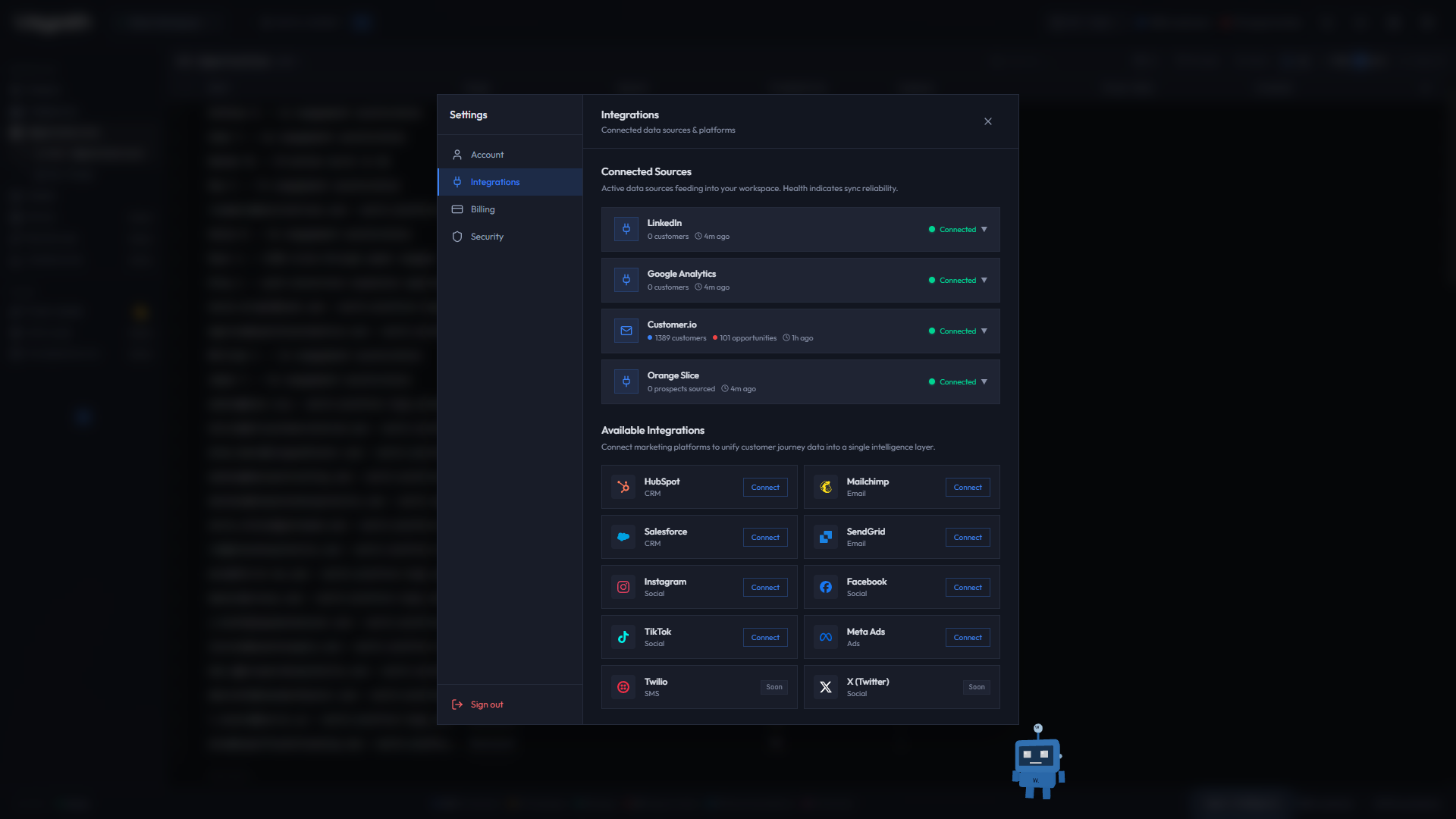
Auth paths split by platform. Customer.io uses a direct API key (Composio has no CIO toolkit). See the Customer.io page. Everything else in this list uses Composio v3 OAuth, regardless of provider. If a sync fails silently, the most common cause is that a direct-key platform was routed through the generic Composio path.
01Integration tiers
| Tier | Platforms | Auth |
|---|---|---|
| Flagship | Customer.io | Direct API key |
| Core | HubSpot, Mailchimp, Salesforce | OAuth (Composio v3) |
| Channel | SendGrid, Twilio | OAuth (Composio v3) |
| Social | Instagram, Facebook, LinkedIn, Meta Ads | OAuth (Composio v3) |
| Social (BYO) | X, TikTok | Coming soon (BYO credentials) |
| Analytics | Google Analytics | OAuth (Composio v3) |
| LLM (BYOK) | Anthropic (Claude), OpenAI | Direct API key |
02Auth methods
- Direct API Key: you paste the credential into Waypath; validated with a free probe against the provider. Used by Customer.io, Anthropic, and OpenAI.
- OAuth (Composio v3): authorize via redirect to the platform's consent screen; Waypath never sees your password. Used by every OAuth integration.
03Managing integrations
Open Settings (gear icon) → Integrations to see all available platforms, their connection status, and sync health.
04Platform guides
Flagship
Core
Channel
Social
Analytics
LLM (BYOK)
- LLM API Keys: bring your own Anthropic or OpenAI key for per-buddy model routing