Customer Lifecycle Infrastructure for AI agents.
Your agents are only as useful as the customer state they can trust. Waypath
connects every customer system, resolves lifecycle state, and gives agents a
guarded path to act and write outcomes back.
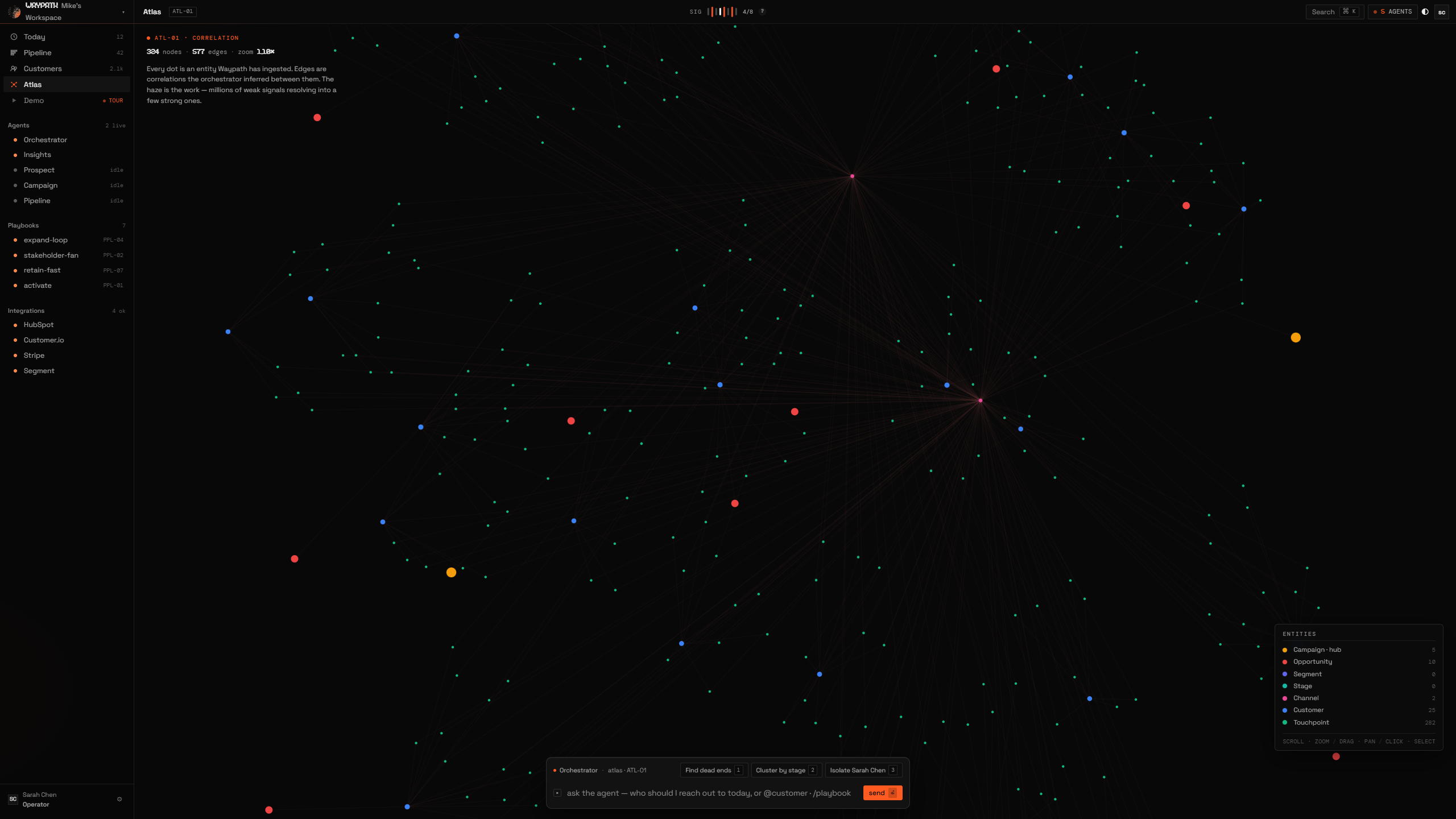
Three layers, one loop. Intelligence resolves customer state from the tools
you already run. Pipeline turns that state into governed action (and
discovers net-new buyers). Agents run plays against both.
01The three layers
| Layer | What it does |
|---|
| Intelligence | Cross-platform correlation. Unifies identities, stitches touchpoints to campaigns, surfaces opportunities and funnel progression across every connected tool. |
| Pipeline | The cockpit where intelligence becomes action. Includes Find Leads (ICP Studio), a proprietary signal engine that discovers net-new prospects with converging buying intent (hyper-signals) your CRM has never touched. Plus Reporting, Opportunities forecast board, and native CRM tables. |
| Agents | Agent runtime and external agent interfaces running Playbooks against trusted lifecycle state. BYOK Claude/OpenAI supported. |
02What you get
- Net-new prospect discovery via a proprietary intent-signal engine. An operator-grade lead designer, not just re-scoring of your existing CRM
- Hyper-signal flagging when job changes + funding + tech adoption + competitor churn converge on one account
- Identity resolution across every platform (email → phone → external ID) so fragmented contacts become one journey
- Executable playbooks that pair a lead source with a strategy and run continuously inside the agent runtime
- Agent runtime + external interfaces: internal buddies and outside agents use the same lifecycle context, action approvals, and write-back primitives
- Operator briefing: live KPI dashboard with agent reasoning log and 24h signal timeline
03Quick Links
| Section | What you'll learn |
|---|
| Getting Started | Create your account, connect an integration, see your first correlation |
| Intelligence View | How Waypath correlates your data across platforms |
| Agents | Lifecycle context, write-back primitives, MCP/REST/CLI, per-buddy BYOK |
| Pipeline View | Operator briefing, ICP Studio, forecast board, CRM tables |
| Integrations | Customer.io, HubSpot, Salesforce, and more |
| API Reference | REST endpoints, WebSocket protocol, authentication |
| Data Model | Entity types, relationships, identity resolution, event pipeline |
| Pricing | Free, Starter, Growth, Pro, Enterprise |
04Key Concepts
| Concept | Description |
|---|
| Workspace | Isolated tenant. Each workspace has its own data, integrations, buddies, and intelligence. |
| Entity | A record in the system (Customer, Campaign, Touchpoint, etc.). 12 types total. |
| Relationship | A connection between entities (HAS_TOUCHPOINT, INFLUENCED_BY, etc.). 17 types. |
| Identity Resolution | Cross-platform customer matching via email, phone, and external IDs. |
| MarketingEvent | The universal ingestion format. All integrations normalize to this before entering the pipeline. |
| Buddy | A specialist agent with its own persona, chat thread, and tool allowlist. Five ship by default. |
| Playbook | An executable agent spec: lead source × strategy × adaptation rules. Runs continuously inside the agent runtime. |
05Base URLs
| Environment | URL |
|---|
| App (Dashboard) | https://platform.waypath.app |
| API | https://api.waypath.app |
| Docs | https://docs.waypath.app |
| Marketing | https://waypath.app |